

Running campaigns in affiliate marketing can feel like a constant battle with ad platform rules – one wrong move and your traffic’s gone. In this article, we’ll walk through how cloaking and smart tools like AI-driven white pages can help you get past moderation, keep your campaigns safe, and focus on scaling instead of stressing. If you want to save time, cut risks, and make your work a lot smoother, this read is for you – let’s dive in.
At its core, cloaking is the method of showing different pages to different types of visitors. Your real users get redirected to the Offer Page, while bots, moderators, and other unwanted traffic land on the White Page. The idea is simple: protect your campaigns, keep your conversions safe, and let your traffic work for you instead of against you. This is exactly what Cloaking.House was built for – giving affiliates a powerful, easy-to-use system that takes care of the filtering so you can focus on scaling.
How Cloaking.House Works
Cloaking.House is a cloud-based service that makes cloaking simple, fast, and hassle-free. You don’t need to buy servers or mess with complicated software – setup takes just a couple of minutes. Thanks to machine learning, the system is able to detect and filter traffic from over 400 known bots and spy tools, making it a professional-grade solution for anyone running campaigns on Facebook, TikTok, Yandex, MT, or other ad platforms.
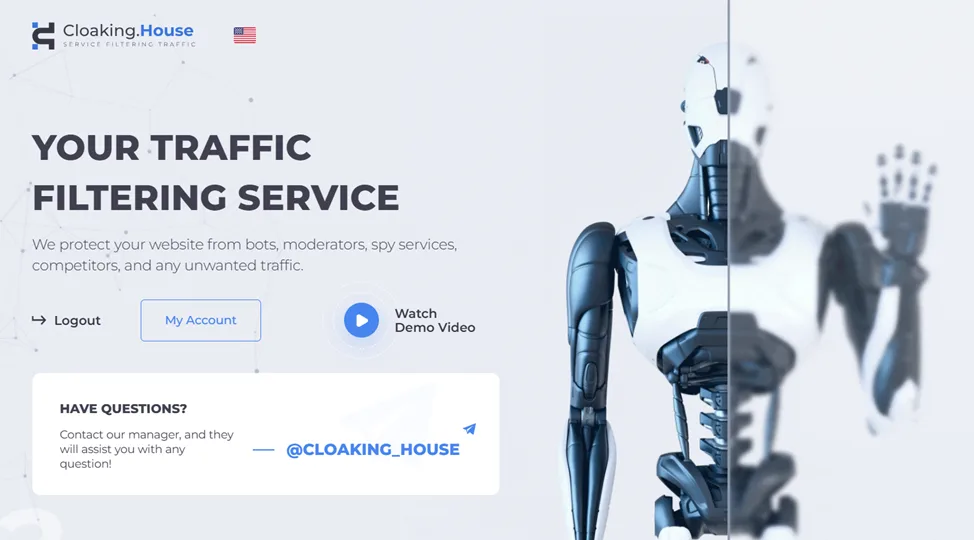
The service offers three connection modes:
- Loading – host the page on your own server.
- Redirect – instantly send users to any link you choose.
- Iframe – show your Offer Page in an iframe on your domain.
Cloaking.House Features
- API Access – automate and scale your cloaking with ease.
- Click Analytics – real-time stats updated every minute, with detailed breakdowns by country, city, device, OS, browser, and even per click.
- Domain Parking – easily park domains inside the system for better flow management.
- PHP Integration – install and configure scripts on your own sites or landing builders, even without coding skills.
- Ready-made Cloaking Links – if you don’t want to bother with setup, simply generate a cloaking link and start sending traffic.
White Page & Offer Page
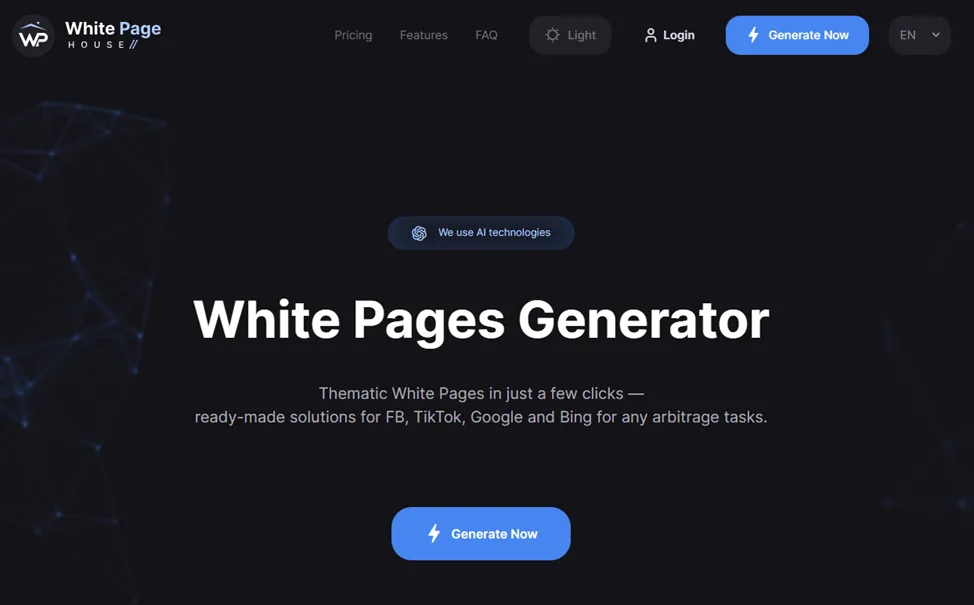
The White Page is what moderators, bots, or restricted users see. It’s a clean, ordinary-looking website – something that could easily pass for a blog, a small online store, or a simple news portal. This keeps your real content safe from unwanted eyes. The Offer Page, on the other hand, is where your targeted traffic is sent – the actual landing page that drives your conversions. Cloaking.House even helps you generate White Pages, so you don’t have to worry about setting them up from scratch – at WhitePage.House, creating these pages is incredibly simple.
Instead of hiring designers or spending hours building them manually, you just tell the system your vertical, niche, and preferred language. The AI does the rest, generating a ready-made page that you can upload to any hosting in minutes.
What makes these AI-generated White Pages stand out is their flexibility and adaptability:
- They can be created in different languages and niches, making them suitable for campaigns anywhere in the world.
- The AI is designed to optimize for moderation, meaning pages are built with ad platform rules in mind.
- Each page can be personalized so it fits your campaign’s theme and doesn’t look generic.
- They work seamlessly with all the big traffic sources – Facebook, TikTok, Google, Bing, and more.
- Pricing is straightforward and flexible: you can start at $5 per page, and in higher plans the cost drops to as low as $1 per page.

Filters: Granular Traffic Control
One of the biggest strengths of Cloaking.House is its advanced filtering system, which gives you complete control over who sees your campaigns. Instead of wasting budget on unwanted clicks or worrying about moderators slipping through, you can fine-tune exactly which audiences and traffic sources get access. Cloaking.House created the most comprehensive and exhaustive list of filters covering all possible options:
| Filter | Description |
| Clicks IP per Day Filter | Limits how many times one IP can click in 24 hours. If the limit is reached, the visitor is redirected to the White Page. |
| Clicks Before Filtering Filter | This filter controls when cloaking starts. Before a visitor reaches the set number of clicks, they are shown the White Page. Once the limit is reached, normal traffic rules apply. |
| IPv6 Filter | Since most bots and moderators use IPv6 instead of IPv4, visitors with IPv6 addresses are sent to the White Page. |
| Client Filter | If your flow is active and all rules are met, users always see the Offer Page. |
| On Pause Filter | If the flow is paused, users are sent to the White Page. |
| Cloaking Filter | Works when the system detects a bot, moderator, or can’t identify the visitor’s IP, device, OS, or ISP. Redirects them to the White Page. |
| Referrer Filter | If there’s no referrer (for example, someone pasted the link directly into a browser), they are redirected to the White Page. |
| ISP Filter | If the internet provider (ISP) cannot be identified, traffic is redirected to the White Page. |
| Country Filter | Blocks visitors from countries not allowed in your settings or when the country can’t be detected. Redirects them to the White Page. |
| Device Filter | If the system can’t determine the device type (mobile, desktop, tablet) or the device is restricted, the visitor is sent to the White Page. |
| OS Filter | If the operating system is missing or not allowed, the visitor is redirected to the White Page. |
| Browser Filter | If the browser is undefined or blocked in settings, the visitor sees the White Page. |
| Black IP Filter | Blocks IPs previously flagged for bad traffic (bots, moderators, or undefined data). These visitors are redirected to the White Page. |
| Black List Filter | Works with custom rules you set (IP, User Agent, ISP, Referrer). If a visitor matches one of them, they go to the White Page. |
| White List Filter | Only lets through users who match all your conditions (IP, ISP, User Agent, Referrer). Everyone else is redirected to the White Page. (Important: basic flow settings always have higher priority than whitelist rules.) |
| White IP Filter | Used for testing flows. If the IP matches your “allowed” list, the visitor is always shown the Offer Page. |
| Language Filter | Blocks visitors whose browser language isn’t allowed or can’t be detected. Redirects them to the White Page. |
| Time Zone Filter | Detects mismatches between IP-based country and time zone (e.g., IP shows one country, time zone shows another). Suspicious traffic is redirected to the White Page. |
| Connection Type Filter | Filters by internet connection type (mobile, satellite, corporate, DSL). Visitors using blocked types are sent to the White Page. |
Together, these filters act like a traffic checkpoint – only the users you actually want to reach will make it through. The result is higher-quality clicks, safer campaigns, and better ROI.
Pricing Plans
Every plan includes all features. No matter which package you choose, you’ll have access to full traffic filtering, API, analytics, White Page generation, and domain parking. The only differences are the number of streams you can run and the price of the White Page.
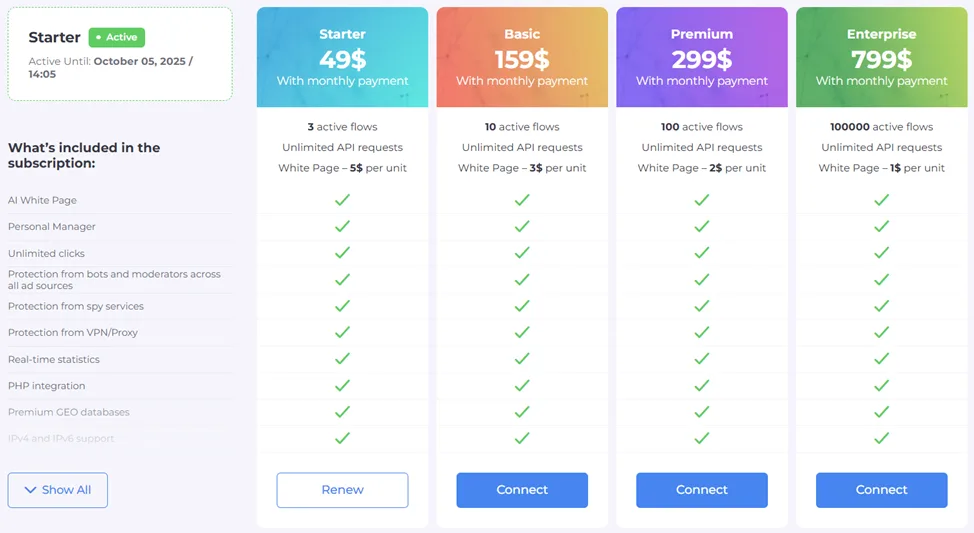
Starter – $49/month
Designed for beginners or small-scale campaigns. Includes 3 active flows, and White Pages are generated at $5 each.
Basic – $159/month
A step up for those running multiple campaigns. You get 10 active flows, and White Pages drop in price to $3 each.
Premium – $299/month
Built for professionals handling larger volumes of traffic. With 100 active flows, the cost per White Page goes down to just $2.
Enterprise – $799/month
A powerhouse option for big teams and agencies. You can run up to 100,000 active flows at once, with White Pages at just $1 per page – the lowest cost available.
To make it even easier, every new user gets a 7-day free trial with zero restrictions. And with the promo code GBC30you’ll get 30% off any subscription plan
Final Thoughts
In today’s world of tough ad policies and non-stop platform checks, cloaking isn’t just an extra layer of security – it’s a must-have for anyone in traffic arbitrage. Without it, you risk rejected ads, drained budgets, and account bans. With it, you gain stability, control, and the freedom to scale without looking over your shoulder.
In short, Cloaking.House helps you launch, protect, and scale your campaigns with confidence. No extra servers, no coding headaches – just a clean, reliable system that takes the complexity out of cloaking and gives you a safe foundation to build long-term results.
Whether you’re running campaigns in gambling, nutra, finance, or any other vertical, Cloaking.House gives you the tools to keep your funnels clean and your offers safe.
Read More: What is media buying?